Are you likely to increase the throughput in the coming months / years?
Often it's better to buy a machine capable of scanning higher quantities than you initially require as there's a good chance you'll find more and more to scan.
Do you have a backlog of paper to scan?
Again, buying a scanner that is capable of doing a few hundred sheets per day is fine when in general use, but if you intend to scan thousands at first, the scanner may not be up to it. If you're unsure, please
contact us and we can advise.
Types of document to be scanned
If you need to be able to scan unusual items, such as tachographs or passports, your choices may be limited. If you only need to scan 100 pages per day, but some are A3, you will have to spend a lot more on a scanner. We recommend in this case looking at ways to scan the A3 without the expense. Some of the A4 scanners offer a "folio-mode" which enables you to fold the A3 sheet in half and scan it - the software then intelligently pieces together the two images giving you one on the screen.
Scanning over a network
There are many
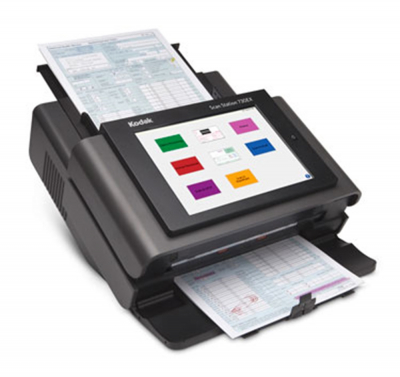
network scanners on the market these days which will allow for streamling document capture into your workflow by reducing the number of steps needed to capture, convert and distribute scanned information in your document management system or cloud based services. They’re designed to be simple to use allowing for quick and easy scanning to email, network folders, FTP, USB memory, fax, or printers directly from the scanner (depending on specification). Alternatively, you can scan into a network folder using any of the scanners, or you can make a scanner available on several workstations by adding a
Silex DS-510.
Scanning via WiFi
There are now a number of scanners that will enable
scanning using a WiFi connection enabling you to wirelessly scan to your PC, Mac, iPad/iPhone, Android and Kindle devices.
Cloud scanning
On selected scanners you can scan to and view across a range of popular cloud services such as Evernote, Dropbox, Google Drive and Microsoft OneDrive.
Flatbed Scanning
Document fed scanners will have the capability of scanning mixed document sizes and weights including A3, A4, A5, A6, B5, B6, business card, postcard, letter and legal, but there are still times when a flatbed scanner is required such as a book or documents on a bind for example. If a flatbed scanner is required then you have the option of a
standlone flatbed device or a document fed scanner with a
built in flatbed.
How much to spend?
Like anything, buying the cheapest scanner and over-using it will cost you more in the long run. It's important that you find a balance between a sensible cost and a scanner which will do what you need with a little room for increased use.
Below are our recommendations for each category which should give you an idea on what to spend...
Still not sure?
Why not take a look at our
scanner comparison chart to compare all features